



Use the super easy step-by-step instructions below to learn how to draw a Chicken from Minecraft. Follow along with the video, or use the images in this article. By the end of this tutorial, even beginners will have a completed drawing of a Minecraft Chicken!
Love drawing? Keep your artistic streak going and stay "tooned" for more free art lessons by:
- Bookmarking the EasyDrawingTutorials.com homepage for updates
- Subscribing to the EasyDrawingTutorials YouTube channel
- Visiting How2DrawAnimals.com for free animal tutorials
- Visiting How2DrawManga.com for free manga tutorials
This page contains Amazon affiliate links. If you choose to purchase through these links, I earn a small commission at no extra cost to you.
RELATED TUTORIALS
 |
 |
 |
Materials You’ll Need
Before starting, gather these basic drawing supplies:
- Pencil (an HB lead pencil is best for light sketches)
- Eraser
- Black ink pen or marker
- Drawing paper
- Colored pencils or markers
- Ruler (Optional, for straight edges)
Sketch Guidelines
Building a solid initial sketch is key to getting your character's proportions right. Draw these simple shapes first before adding the details on your Minecraft Chicken.
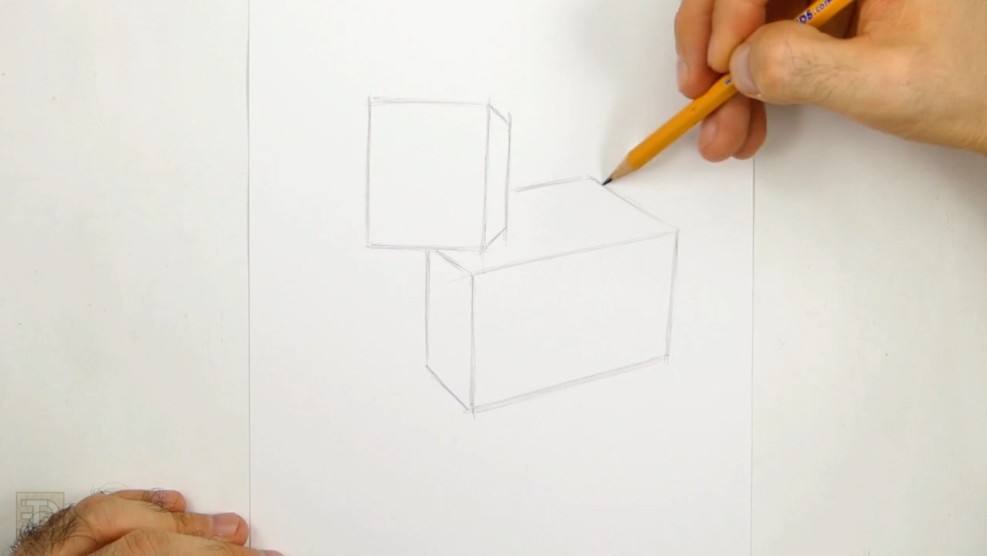
Step 1: Head and Body Framework
- Sketch the Head: First form a cube shape. Draw two parallel vertical lines and then close the top and bottom. Add a third vertical line on the right and connect with the lines to create a 3D head guide.
- Position the Body Cube: Draw the front vertical lines just below the middle of the head. Extend the back of the body further to the right, making it roughly twice the width of the head.
- Connect the Angles: Use parallel sloping lines to finish the body cube, keeping the perspective consistent with the head.
Step 2: Adding the Beak, Waddle, and Eyes
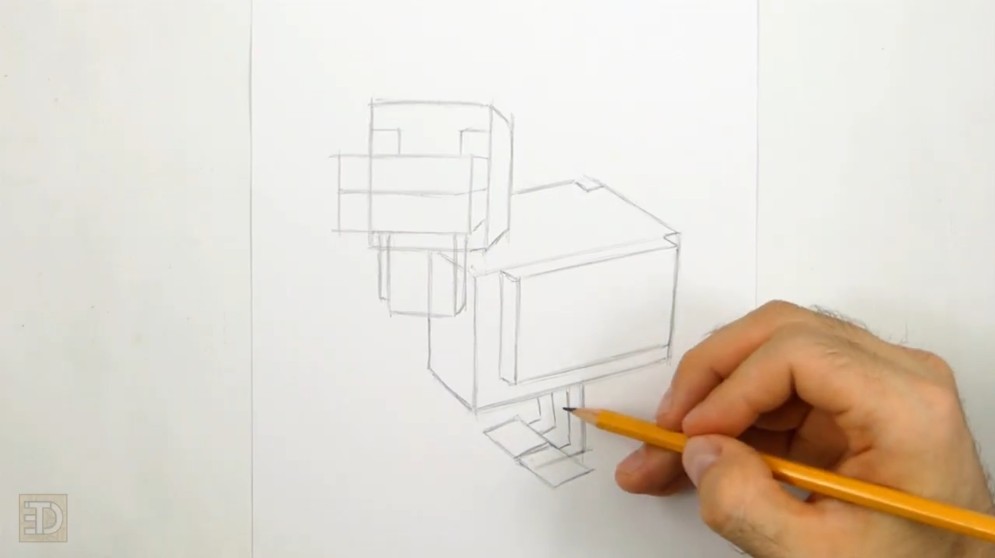
- Sketching the Beak: Draw a rectangle protruding from the left side of the head for the beak.
- Creating More Details: Sketch two small squares above the beak for eyes. Below the beak, add a small 3D square for the wattle.
Step 3: Defining the Wing and Feet
- Draw the Wing: Sketch a long, thin rectangle on the side of the body. Add a short depth line to make the wing look folded.
- Finish the Legs: Add backwards "L" shaped guides beneath the body for the legs. Thicken the leg guides and add small rectangles at the base for the feet.
The Finishing Touches
With your pencil sketch complete, it's time to ink your drawing and add color!
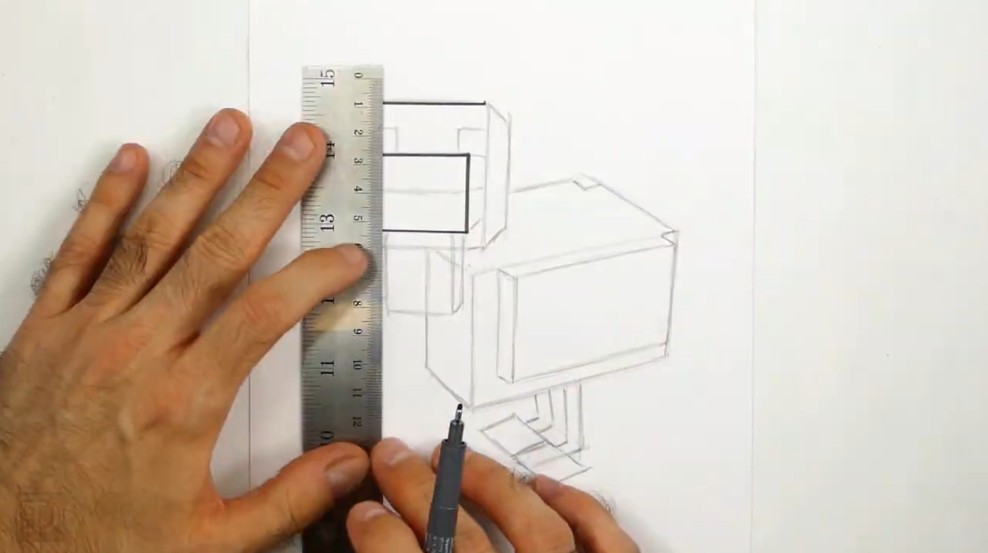
- Ink and Clean: Trace the final lines with a black pen. Once dry, erase any remaining pencil guides.
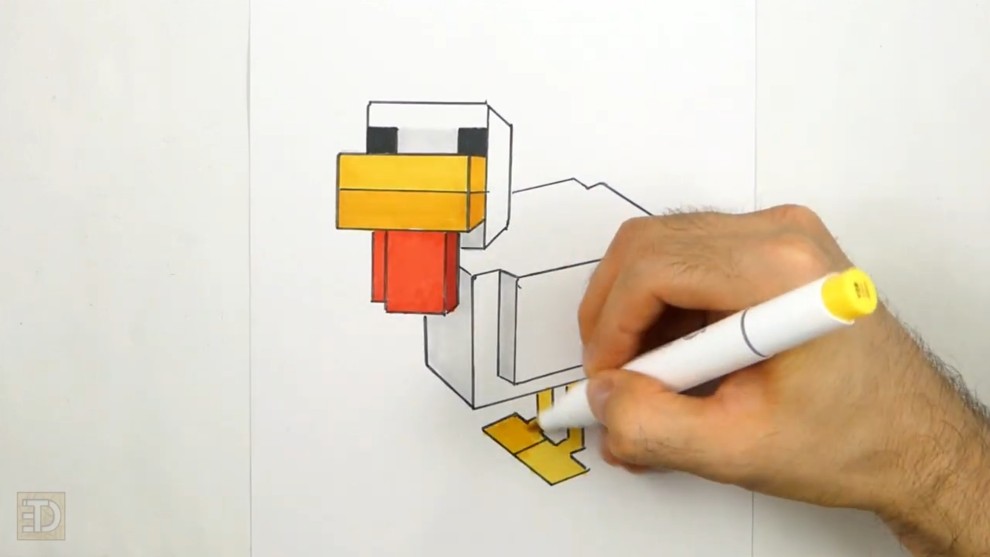
- Add Color: Use yellow for the beak and feet, red for the wattle, and light gray for shading on the white body.
Final Tips for Drawing Cartoon Characters
Improving your drawing skills takes practice and patience. Keep these techniques in mind:
- Sketch lightly before committing to final lines so mistakes are easy to erase.
- Use construction shapes to maintain correct proportions across the head and body.
- Use rulers or templates to draw perfect shapes if the drawing requires it!
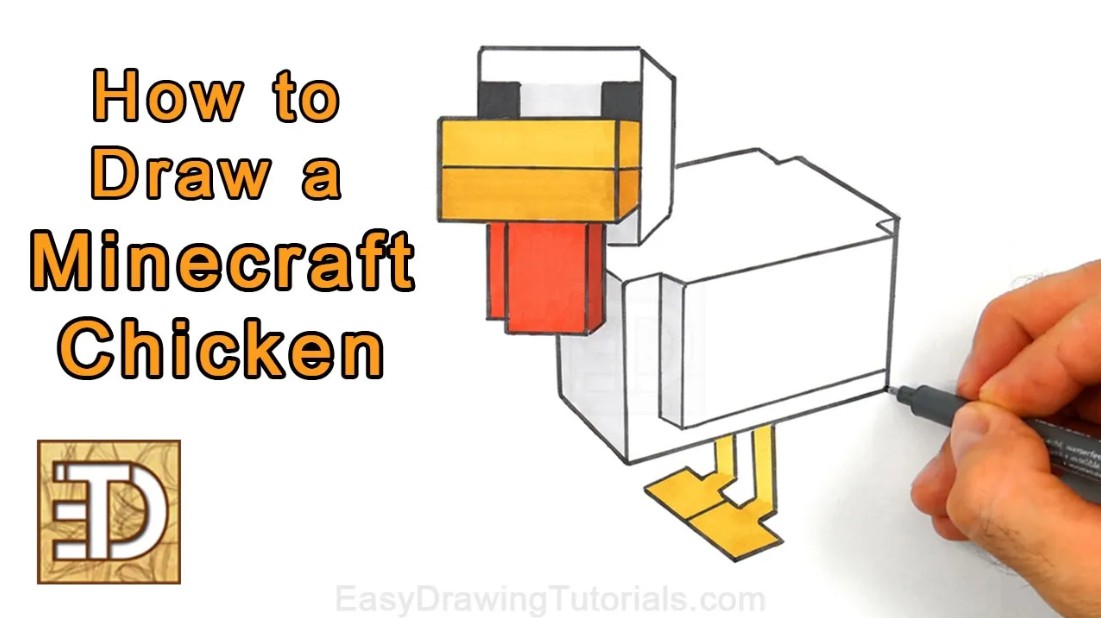
With consistent practice, drawing characters like the Chicken from Minecraft becomes much easier and enjoyable!
RELATED TUTORIALS
|
|
|
Thanks for visiting! Subscribe to the EasyDrawingTutorials YouTube Channel for a new tutorial every week.
To learn how to draw animals, visit How2DrawAnimals.com.